Gatsby and WordPress: A Perfect Pair for Building Dynamic Websites

The world of website development is constantly evolving, and today there are many different tools and frameworks available for building modern and dynamic websites. One such framework that has gained popularity in recent years is Gatsby, a free and open-source framework built with React.js that allows developers to create fast, performant websites and web applications. Another tool that is widely used in the world of website development is WordPress, a content management system (CMS) that powers millions of websites.

In this article, we will explore how Gatsby and WordPress work together to create dynamic and powerful websites.

What is Gatsby?

Gatsby is a free and open-source framework that is built on top of React.js, one of the most popular JavaScript libraries for building user interfaces. Gatsby is designed to help developers build fast, performant websites and web applications. It uses a number of performance-optimization techniques, such as code splitting, lazy loading, and pre-fetching, to make sure that your website is as fast as possible.

One of the unique features of Gatsby is its use of a static site generator, which allows for the creation of static HTML files that are then served to the user. This approach has a number of benefits over traditional dynamic websites, such as increased speed and security, as well as better performance on low-end devices.

What is WordPress?

WordPress is a free and open-source content management system (CMS) that is used to build and manage websites. It was first released in 2003 and has since become one of the most popular tools for building websites. WordPress is built on top of PHP and MySQL and provides a user-friendly interface for managing content, including pages and posts, as well as a wide range of features and plugins for adding functionality to your website.

One of the main advantages of using WordPress is its flexibility, as it can be used to build a wide range of websites, from simple blogs to complex e-commerce sites. Additionally, it has a large and active community that contributes to its development and provides support and tutorials for users.

How Gatsby and WordPress Work Together

Gatsby and WordPress can work together to create a dynamic and powerful website. The basic idea is that Gatsby is used to generate the static HTML files that are served to the user, while WordPress is used as the backend to manage the content of the website.

To accomplish this, Gatsby uses a feature called source plugins, which allows it to pull in data from a wide range of sources, including WordPress. The Gatsby WordPress source plugin is used to connect to a WordPress website and pull in data such as pages, posts, and custom fields. Once the data is pulled in, Gatsby can use its powerful rendering capabilities to build the static HTML files that are served to the user.

One of the biggest advantages of using Gatsby and WordPress together is that it allows for the creation of fast, performant websites that still have the flexibility and functionality of a traditional CMS. Since Gatsby pre-builds the HTML files, the website loads faster to the user, and it doesn’t have to wait for the server to generate the pages on the fly. Additionally, since all the content is managed in WordPress, it allows for an easy and familiar way for non-technical users to update the website.

Another advantage of using Gatsby and WordPress together is the ability to add advanced features, such as progressive web apps, offline support, and push notifications, that can make the website more interactive and engaging for users. Additionally, Gatsby’s support for modern web technologies such as GraphQL, a query language for APIs, allows for more efficient querying and manipulation of the data pulled in from WordPress.

One important consideration when using Gatsby and WordPress together is security. While Gatsby’s static HTML files provide increased security over traditional dynamic websites, it’s important to make sure that the connection to the WordPress backend is properly secured. This can be done by using authentication and authorization methods, such as JSON Web Tokens (JWT) or OAuth, to restrict access to the WordPress API.

Conclusion

In conclusion, Gatsby and WordPress are a perfect pair for building dynamic websites. By using Gatsby’s static site generation and performance optimization capabilities, in conjunction with WordPress’s content management and flexibility, developers can create fast and powerful websites that are easy to update and maintain. Additionally, developers can also leverage advanced features such as GraphQL to make more efficient querying, and offline support, to improve user experience. It’s important to keep in mind that security should always be a top priority when building a website, particularly when working with APIs.

If you’re interested in learning more about Gatsby and WordPress, I suggest checking out the Gatsby documentation and the WordPress Codex. You can also find many resources and tutorials on using Gatsby and WordPress together, such as the Gatsby WordPress source plugin and the WordPress REST API.

Do you want to learn more about how Gatsby & WordPress can bring your website up to modern standards? Contact our experts today!


How Does the Performance of a React Website Stack Up to WordPress?

When it comes to building websites, React and WordPress are two popular choices, but they’re quite different technologies. React is a JavaScript library for building user interfaces, while WordPress is a content management system (CMS) built on PHP and MySQL. In this post, we’ll take a closer look at the performance of React websites and why they are the superior choice compared to WordPress.

What is React?

React is a powerful JavaScript library for building user interfaces. It was created by Facebook and is now maintained by a large open-source community. React allows developers to build complex, high-performing web applications by breaking them down into smaller, reusable components. This makes it easy to manage and maintain the codebase, and it can also lead to better performance.

What is WordPress?

WordPress is a widely used CMS that powers about 40% of the web. It allows non-technical users to easily create and manage websites, and it also has a large ecosystem of plugins and themes that can be used to add functionality and customize the look of a site.

How does React stack up to WordPress in terms of performance?

First, as a JavaScript library, React utilizes the highly performant JavaScript programming language. This allows React websites to handle complex logic and interactivity on the client-side, which can result in faster and more responsive user interfaces. In contrast, WordPress is built on PHP, which is a server-side language that is generally less performant than JavaScript. This means that WordPress websites may have more overhead and latency when handling complex interactions.

Another key factor that contributes to the performance of React websites is the use of a virtual DOM. The virtual DOM is a lightweight in-memory representation of the actual DOM (Document Object Model), which is the structure of the HTML and other elements that make up a web page. When changes are made to the state of a React component, the virtual DOM is updated before making the corresponding changes to the actual DOM. This allows React to efficiently update only the parts of the DOM that have actually changed, which reduces the amount of resources required to update the page. This makes React website more efficient and faster.

In contrast, WordPress doesn’t use a virtual DOM, so all the updates made in the website, means new request to the server and a new rendering of the entire HTML. This can lead to slower updates and increased resource usage.

It’s also worth noting that the performance of a WordPress website can be improved through optimization, like using a caching plugin, optimizing images and other media, and using a content delivery network (CDN) to serve assets more quickly. However, these optimizations can be time-consuming and may still not reach the level of performance offered by a React website.

When to choose React over WordPress

React is the ideal choice for building complex, high-performing web applications that require a lot of client-side logic and interactivity. Examples include e-commerce sites, social networks, and other types of web apps. React also offers more flexibility when it comes to building custom functionality and scalability compared to WordPress, making it a smart choice for businesses looking to push their marketing websites a bit further.

In conclusion, React offers superior performance when compared to WordPress, thanks to its use of the JavaScript programming language and the virtual DOM. It’s also the better choice for building complex web applications that require custom functionality. While WordPress may be suitable for simple sites and blogs, React is a more robust and powerful solution for building high-performing web applications.

If you’re thinking about building a website, consider choosing React for its better performance and scalability. Get in touch with us today to talk with a React expert that can steer you in the right direction for your new website.

How To Build A Personal Curriculum For Learning Web Development

Web development is constantly evolving, which is part of why this industry is so fascinating to developers. For the same reason, web development can be extremely challenging to learn. Technologies are constantly changing and what is required of developers increases as the web gets more complex. If there is one thing developers can agree upon, it is that learning web development requires patience, determination, and a clearly outlined learning curriculum.

How I Started

The past year has presented new challenges for so many, and yet also has given way to new opportunities. Amidst the global pandemic and nationwide lockdowns, there arose a need to fill the void with something that fulfills us. A time to learn a new hobby or skill perhaps. This is where my journey in web development began.

I started out as so many do self-taught developers do; reading articles, scouring the web for helpful resources, juggling tutorials, and signing up for a plethora of development courses. I was quickly overwhelmed by the choice of frameworks, libraries, languages, and courses I had to choose from. It seemed that everyone I came across had a different opinion on what is important to learn, in what order to learn it, and so on.

After some careful consideration, I made the decision to enroll in my local university’s front-end development program. The program would give me the skills I needed to excel in the field of web development. I soon realized that structured learning was exactly what I needed. Since then, I have identified what strategies have helped me to create a personal learning curriculum and I would love to share them with you.

A Clear And Concise Learning Path

After landing my first developer job, it became apparent that my learning curriculum would need to be ramped up to fit the demands of this new role. That, I think, is true for so many developers. It is easy to get stuck in an endless loop of tutorials and walk away with very little practical knowledge. In this sense, it is crucial to understand what you are learning and how that fits into your role as a developer.

Set Goals

The first step in goal-setting is to understand your goals as clearly as possible. Write your goals down and look at them each day. For some, a roadmap may help. For others, like myself, this can be totally overwhelming. In this case, I would recommend starting simple and focus on only a few key concepts at a time.

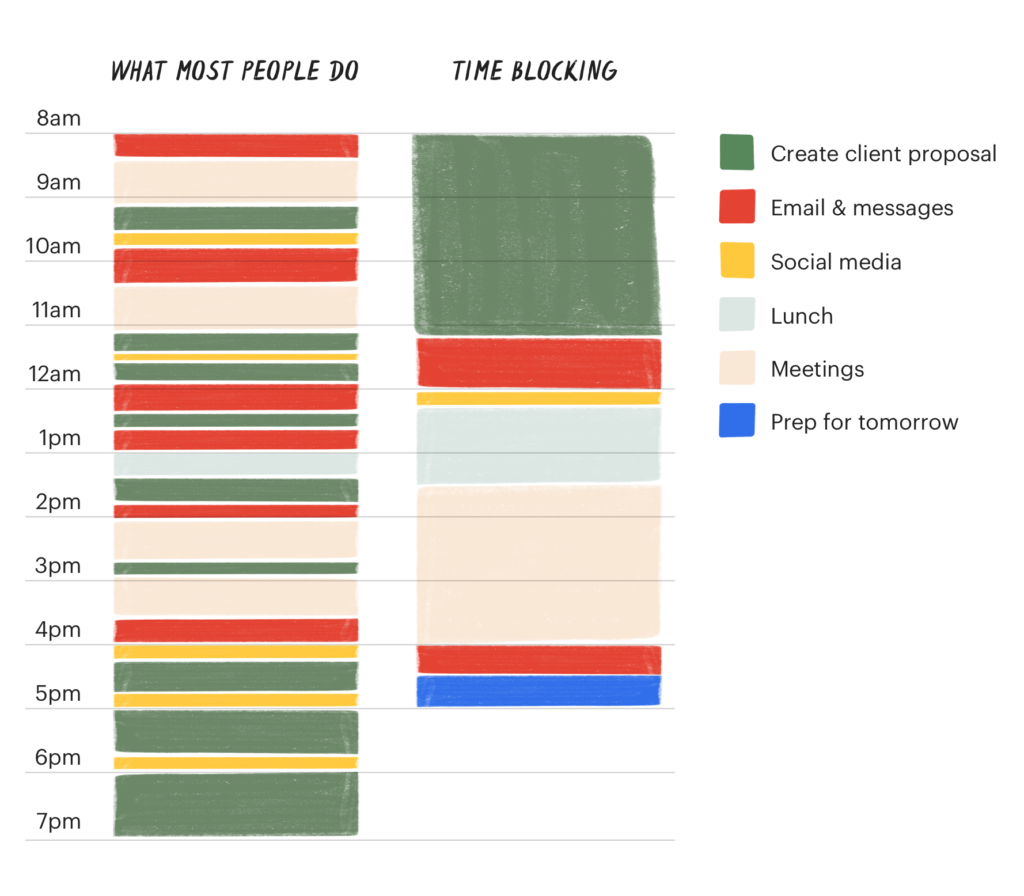
Time-Blocking

Time-blocking is a time management tool that requires you to divide your day into blocks of time. Each block is dedicated to a single specific task. Since I started integrating time-blocking into my weekdays, I have found a notable productivity spike, less decision fatigue, and a more seamless path to follow my learning goals. If you feel you can benefit from a more productive and organized day, you can learn more here.

Measuring Progress

With so many endeavors in life, measuring progress can be tricky. Setting due dates for yourself to complete certain projects or courses may give you the extra push you need. To give you a better understanding, here are some of my past targets:

  • Complete a jQuery course by end of the month
  • Build ‘about’ page on personal portfolio website by end of the week

Although this may seem straightforward, it is easy to overdo it. Give yourself some extra time on concepts that are new to you and try pushing yourself on others that you are already familiar with. The important thing here is to create a target for yourself and aim for it.

Learn By Doing

The single most impactful piece of advice I was given on my web development learning journey was to just start. There are an endless amount of courses and tutorials available to you (I have found Frontend Masters to be especially helpful). However, how do you know where to start? And what do you do once you finish a course? The answer to these questions is not as important as you may think. The important takeaway here is to find a concept/topic you are interested in and just start.

Actively Learning

So many online courses share an eerily similar format. The instructor builds while the student follows along. This is certainly helpful for beginners and those just getting started learning a new front-end language or framework. In fact, I recommend it. But it’s not enough. Without a doubt, the most effective way to grasp any concept in front-end development is by doing. Sure, watch the tutorial and follow along. But then go build it yourself!

A Collection Of Helpful Resources For Your Learning Path

Here are some resources that have helped me along the way:

Podcasts

Youtube Channels

Design Inspiration

Other Resources

Tips for Creating a Mobile-Friendly Website

There is no denying that mobile devices are the future of Internet activity, and the numbers back it up. Since 2015, over 50% of Internet access all over the world has occurred on a mobile device, and that figure is only expected to keep rising. Digital marketers have also caught on, with mobile ads accounting for over two-thirds of all digital ads. Given these facts, it has never been more important to have a mobile-friendly website.

How to Create a Mobile-Friendly Website

Google actually agrees, recently announcing its mobile-first design and indexing strategy. This basically means that instead of crawling the desktop version of websites first, the search engine giant will now primarily use the mobile version of your website to index and rank it. This is a complete turnaround from Google’s old system of prioritizing crawling the desktop version of websites. Simply said, Google is saying that you need to seriously start considering optimizing your website for mobile devices, or risk your ranking suffering.

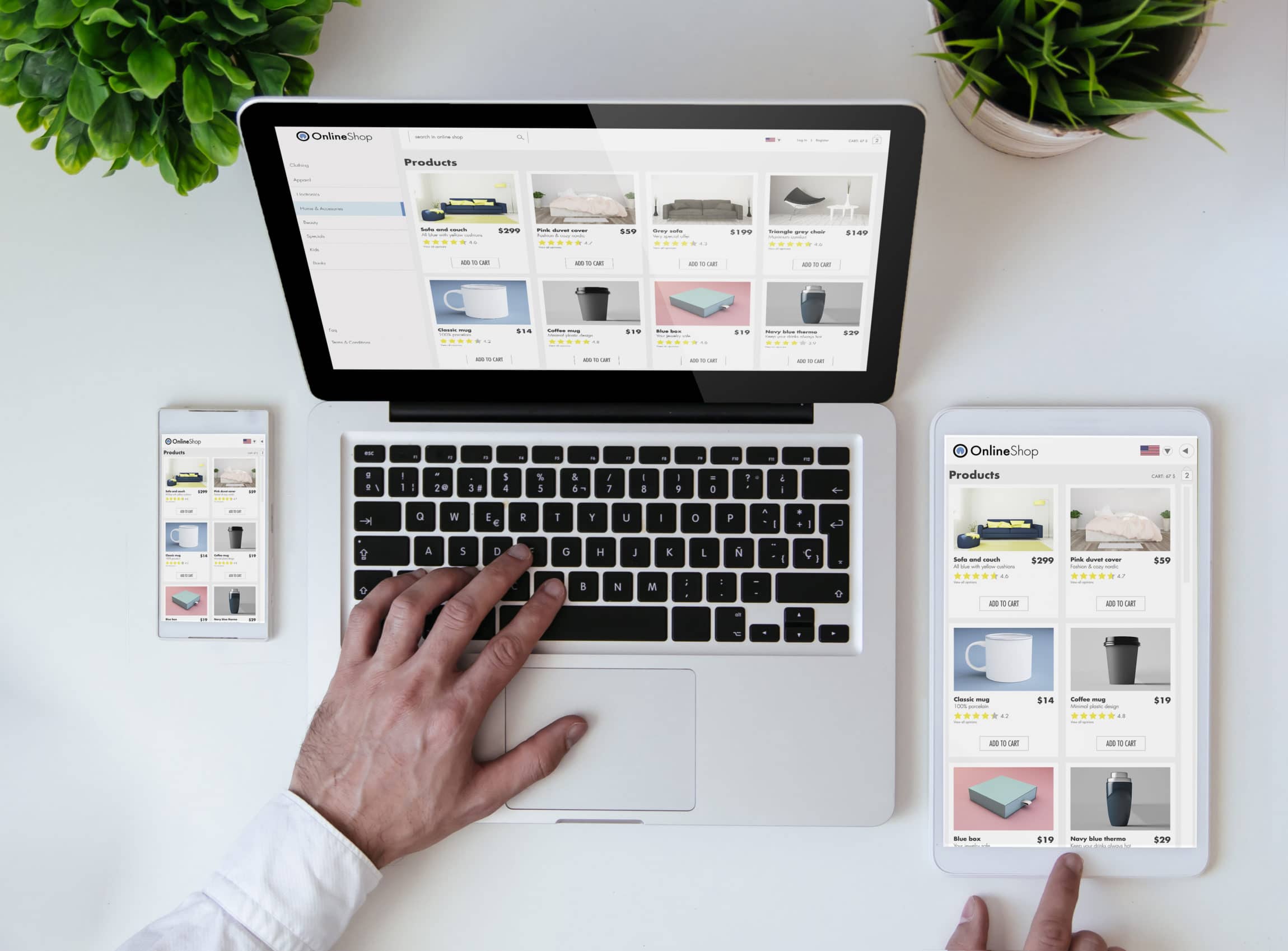
Mobile-friendly website displayed on various devices displaying mobile responsiveness.

Make It Responsive

The best web design companies agree, the very first thing you have to consider when optimizing your website for mobile devices is how it looks. It’s always easy to tell when a website is a desktop version trying to sneak into your mobile phone. The layout is distorted, the images look out of place, and the text is a mess. More often than not, visitors that come across such a page will click out of it almost immediately.

To avoid losing valuable traffic because of how your website looks on a mobile device, it’s a good idea to consider using responsive web design. Responsive design allows your website to match and adapt to whatever device your visitor is using to browse the Internet. Whether he or she is using a phone, a tablet, a desktop computer or a laptop, your website will always adapt to best fit the screen no matter the size of the device.

The best part is that it’s exactly the same website. The content is the same, the design is the same – it’s just adapting to fit the screen size your visitor is browsing on. There’s no need to build a whole different site.

Make It Fast

This one is pretty obvious. If your website is not optimized for speed on mobile devices, you are going to turn off a lot of visitors. Statistics show that bounce rates increase drastically the longer your website takes to load. In fact, if your website is taking more than six seconds to load, your bounce rates go through the roof, with a 106% increase. This means you are literally losing double the amount of visitors you would than if you had a faster loading mobile-friendly website.

It’s not just your visitors that hate slow websites. Google itself will punish you for having slow page speeds. Google actually takes your page speed into consideration when ranking your website for mobile searches. This means that slow loading speeds will not only turn away visitors, it will also keep you from getting visitors.

Thankfully, there are plenty of simple ways to improve your mobile loading speed. It can be as easy as optimizing images for mobile device use or allowing data compression and trying to minimize the number of redirects. Whatever method you choose to do, the most important thing is that you do it FAST.

The word SEO in font that looks like the Google logo.

Keep It Rich In Content

With Google’s mobile-first indexing strategy, the search engine crawls and uses the mobile version of your app to rank and index your website. This means that a mobile-friendly website should be rich in content, with as much content as the desktop version.

It used to be the case that web designers would create completely different websites for mobile users. This is because the desktop version was too slow and unmanageable for mobile devices. You can often tell it’s a separate website when you see an option to “View Full Website.” That’s a dead giveaway that you’re currently browsing a stripped-down version of the real thing.

With the huge leaps and bounds technology has taken when it comes to mobile devices, this is no longer necessary. You can have as much content as you want on the mobile version of your website. In fact, you SHOULD have as much content as you can on the mobile version because this is what Google will be crawling first. Optimizing for mobile-friendliness doesn’t just mean improving the user experience. It also means doing everything you can to ensure that your website succeeds on the mobile level. Having the same content on the mobile version and the desktop version of your site is a step in the right direction.

Keep The Customer In Mind

With all the technical aspects that go into building a website that is optimized for mobile devices, it’s easy to fall into the trap of forgetting the human element. Remember that your goal is not simply to be mobile-formatted; you want to be mobile-friendly as well.

This means that your site should be easy for your visitors to use and navigate. Make it as simple and user-friendly as possible for your visitors to get what they want out of your site. Perhaps they want to watch a video, or get your contact details, or even sign up for a service. Being mobile-friendly means they can do all these things with a minimal amount of effort and stress. Your visitors should get the same user-friendly experience whether they are browsing on your website on a desktop computer, laptop, or mobile device.

Experts in Mobile-Friendly Website Design

With the emergence of mobile device use, it is now a necessity that all websites be mobile-friendly. Thankfully, there is an easy way to find out if your website meets the standards for Google. Simply take Google’s Mobile-Friendly Test, and you’ll quickly get a good idea of whether or not you’re ready for the mobile revolution. If you feel like you need some help, contact the pros at Double Up Digital today. We’re experts at web development and can definitely give you a helping hand when it comes to making sure your website is mobile-friendly.

Website Launch Checklist: 7 Things To Do Before You Launch

Launching a website is an incredibly exciting time. Chances are if you are ready for launch, a lot of time and effort has gone into your development project. That being said, there are several considerations you should make before your new website goes live. Continue reading our website launch checklist to get insight into critical factors that impact online success.

Website Launch Checklist

Unfortunately, a lot of people have the same idea. Every day, thousands of new websites are being launched, and it doesn’t look like it’s going to stop anytime soon. That’s why you need a methodical plan of attack before you even launch your website. Here, we outline seven things you should do as you prepare in our website launch checklist.

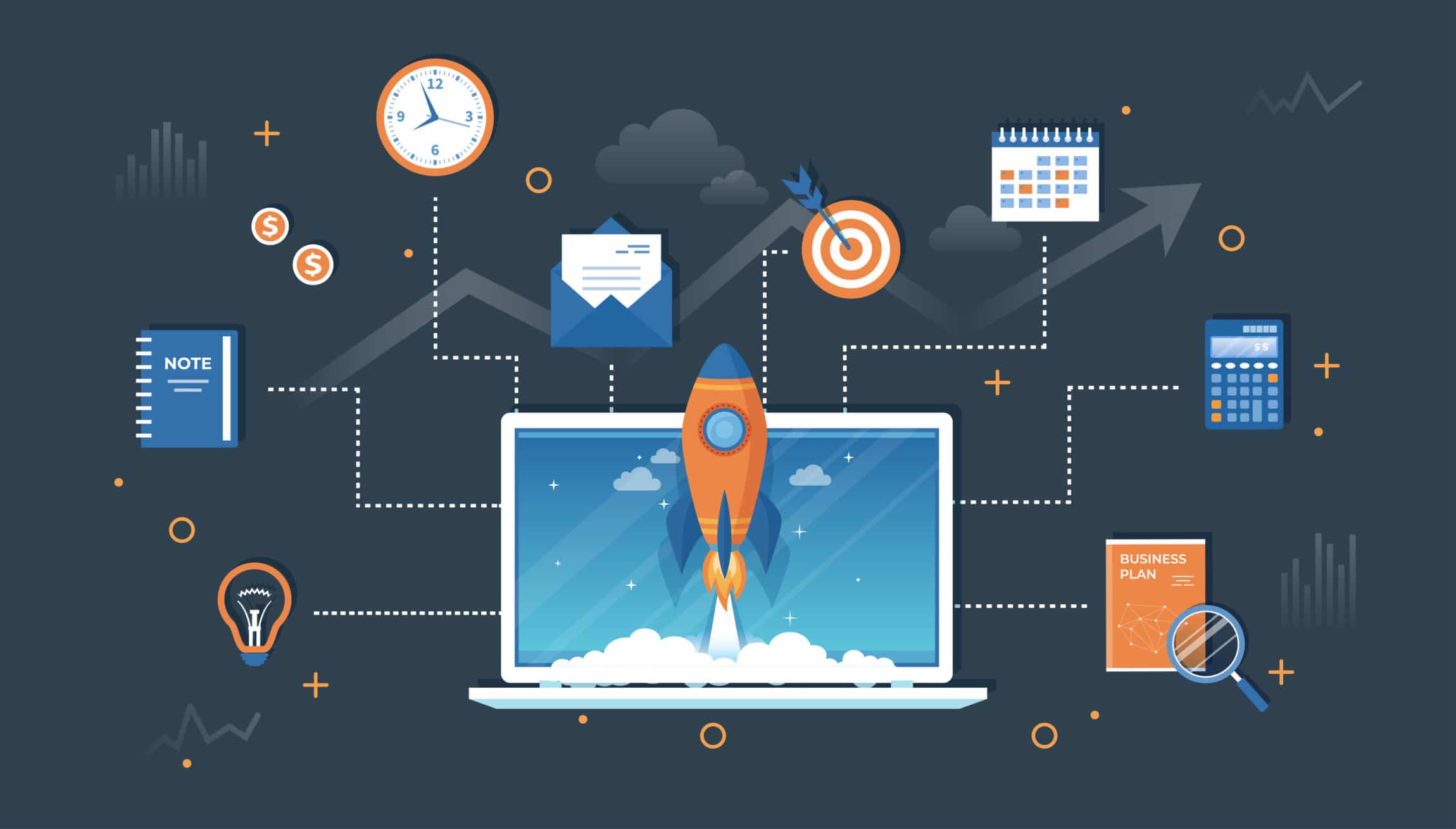
Cartoon graphic of rocket ship taking off from a laptop symbolizing website speed.

Define Your Identity

Before you even launch your website, it’s extremely important that you define your website’s identity. This means outlining concrete vision statements, mission statements, and goals for your website. It’s important that you know exactly what you want your website to be, as this will determine almost everything about it – from what it looks like, to the content you publish.

Having a definite identity will also help you figure out who your audience is. Who do you want to reach, and who are those that will search for your website themselves? Knowing these things can be a huge factor in determining whether or not your website succeeds.

Have A Backup Plan

Having a backup plugin installed is probably one of the most important things you can do when preparing for your website launch. After all, launching a website is a lot of work. In the worst-case scenario that something goes wrong, you don’t want all your hard work going to waste.

While the security and stability of web hosting services have come a long way, it’s always better to be sure that you have insurance against possible malware attacks, server crashes, and hackers. Having a backup plugin installed will allow you to have peace of mind that in the event anything goes wrong, you can simply restore your website back to normal.

Make Sure Your Links Work

Few things can turn a visitor off faster than broken links. They’re annoying, frustrating, and make your website seem unprofessional. That’s why it’s important to check your website for broken links and fix them before launching.

You don’t even have to do the checking manually. There are plenty of plugins out there that can check your links for you at just the click of a button. It’s also a good idea to regularly check on your website to make sure all your links work correctly, even after your initial website launch.

Cartoon graphic displaying the word SEO with digital marketing symbolism.

Install An SEO Plugin for Easier On-Page Optimizations

Imagine putting in hours and hours of work on your website. It’s a masterpiece of web design, beautifully made, truly something to be proud of. There’s just one minor problem – it’s not getting any traffic.

That’s where Search Engine Optimization (SEO) plugins come in. They optimize your website so that Google can more easily find and understand it. SEO plugins help you add a sitemap for your website, as well as make sure that your page titles, meta descriptions, and title tags are all in order. All of this will help Google drive more free traffic to individual pages on your website.

Google is a search engine giant with over 3.5 billion searches every single day. It only makes sense to optimize your website for it.

Make Sure You Have An SSL Certificate

Secure Socket Layer (SSL) certificates are basically badges that say your website is secure. In layman’s terms, this means that sensitive data such as credit card information, login information, and data transfers can all happen securely on your website.

Why is this important? Aside from the obvious security reasons, having an SSL certificate tends to help your website perform better in Google rankings. It’s pretty obvious to figure out why. Google sometimes labels Websites without the SSL certificate as “Not Secure.” As Google moves toward a more secure web, a secure website will obviously rank higher than one that potentially isn’t.

Before you even launch your website, it’s good to get your SSL certificate ready. Many hosts already offer this service for free, so there’s no reason not to get it.

Graphic cartoon Symbolizing digital marketing and SEO audit.

Configure Google Analytics

You’ve done the hard work creating relevant content, and you’ve installed plugins to optimize your website’s SEO. All that’s left is to launch and watch the traffic roll in. Of course, there’s no way to know exactly just how much traffic your brand new website is getting, right? Wrong.

By configuring Google Analytics on your website, you will know the exact details of the traffic you are getting. This includes how much traffic is visiting your site, what keywords are leading them there, and how long they are staying for. This is invaluable information that can help you assess the success of your SEO efforts. After all, data does not lie. Having a clear picture of how your website is doing will allow you to build on areas you are good at, and to improve on areas you aren’t doing as well in.

The best part is that Google Analytics is a free tool offered by Google. There’s absolutely no reason not to take advantage of it and install it before launching your website.

Stock Up On Content

This is one of the most important things you can do to prepare for your website launch. Content is king, and the more you have of it, the better off you are. Before you even launch your website, it’s a good idea to stockpile quality content so you can keep rolling it out regularly for your website traffic.

Google also likes it when your website is constantly updated, keeping it fresh and relevant. The higher Google ranks your site, the more traffic you are likely to receive. And who doesn’t want more traffic? That’s why it’s definitely a good idea to have your content ready even before your website launches. Writing blog posts and longer pillar content for your services pages are an excellent way to continuously develop content. 

Web Development & Launch Experts

Having trouble implementing items on your website launch checklist? Check out the web designers and web developers at Double Up Digital. Our team is regularly featured as a Top Atlanta Web Design Company by Design Rush and is ready to help turn your website dreams into reality.

What’s Tanking Your Website Speed – And How to Fix It

Clicking on a link might seem like a very simple thing. After all, it doesn’t require much work on your part, and usually within a second or two, you’re looking at the page you clicked to see. If you have a slow website speed, that isn’t always the case.

On the other side of the screen, however, there’s a lot more going on. When you click on a link, you’re sending a request around the world to see the images and words behind that URL. And hundreds and thousands of people are doing the same thing, at the exact same time.  What that means is that there’s a lot of activity taking place at the same time, which can affect how quickly your website pages load.

loading symbol demonstrating slow website speed.

So why does all of this matter?

Well, in a nutshell, it’s because site load times are becoming increasingly more important.  Page speed is now a ranking factor with Google, which means if you’re hoping to show up in the top spot for specific search terms, a slow-loading site isn’t going to do anything to help your SEO.  Plus, people simply don’t have the patience to sit around and wait for a website to load. In fact, on average, websites with a 5-second load time experience a 38% bounce rate.  This in stark contrast to sites that load in 2 seconds, where the bounce rate is only 9%. 

The good news is that the process of improving your website speed isn’t near as tedious and time-consuming as when you first had your website built, provided you know all the tricks to the trade.

Factors That Affect Website Speed

In order to troubleshoot why your site is loading slowly, it’s important to first understand everything that affects its performance.

1. Server Speed

When someone clicks on a link to visit your website, their browser has to build your webpage out of nothing, which means that their browser sends a request to your server for the blueprint to your website. If your server is slow, unfortunately, everything else will run slowly too.  Think of your server like it’s the engine of a car. The higher the horsepower, the faster the web performance. The lower the horsepower, the slower things will go. 

If your site is loading slower than you would like, consider updating optimizing your servers’ performance parameters and/or upgrading it entirely, and you’ll see an uptick in site load times almost immediately.

2. Server Location

While the speed in which your server loads is important, where your server is located matters just as much.  Because the information that it takes to build your website from scratch on demand, needs to travel to your site users’ location, the location of your server can – and often does – matter.  For example, if you’re in the United States and most of your users are as well, then that’s great for your end-users. But if your target audience is mostly from Asia, it may be frustratingly difficult for them to get your site to load.

3. Amount of Traffic

No matter how much your site is optimized for speed, if you have a large number of site users at one time, your site will load slower. Thankfully, this is a good problem to have and means people are actually coming to your site.  All you need to do is increase your bandwidth through your web host to accommodate these higher traffic numbers. 

4. Images and Files and Media

The more complicated the media on your site, the longer your site will take to load. Plugins, as well as hi-resolution images and videos, are large files which have a tendency to severely impede site performance.   Only use photos and videos that will most enhance the text on your site.

5. An Outdated CMS

If you have an outdated Content Management System (CMS) for your website – like WordPress, Joomla or Drupal – your content may be loading slowly simply because you haven’t upgraded to the most recent version.  So, make sure you stay on top of updates. They can – and will – improve load times, and subsequently, end-user experience. 

Illustrated graphic depicting tools that create a good UX.

Ways to Increase Website Speed

So, now that you know why your website is slow to load, here’s what you can do about it.

1. Shrink File Size

Images can have a profound effect on the load speed of your website. Consider using tools like Kraken or Optimizilla that will compress your images so that the file sizes are smaller.  Or simply use smaller, optimized-for-speed file types such as WebP or Jpeg XR.  Either option will decrease media-associated lags dramatically. 

2. Minimize Your Coding

If your site has a lot of fancy coding that isn’t optimized for speed, then you may need to consider redoing it all together. Lots of unnecessary CSS and Javascript can considerably slow down your site’s load time. By working with a great team of web developers, however, unnecessary line breaks will be eliminated and coding can be cleaned up. 

3. Make Sure All the Plugins You’re Using Are Worth It

While plugins can add a massive amount of functionality to your website, they are a huge task for servers and browsers to handle. Routinely take stock of which plugins you’re using and remove any that you aren’t.  In addition, it never hurts to research what’s available, since new plugins are constantly being released and there may be an option that would combine the functionality of several plugins into one. This type of consolidation can do wonders for site load response times. 

Pagespeed Insights

For performance monitoring of your website speed, you can utilize free website speed tests to get an accurate understanding of where your site is. After completing one of these free tests, we invite you to contact us to learn more about how it can be improved.

Slow Website Speed? We Can Fix It

Your website is your business’s storefront to the world, and if it’s running slowly, it’s not delivering the value it should.  After all, a poor user-experience will cost you the clicks and conversions you’re trying to generate through search engine optimization.  Don’t let your website – and your business – continue to suffer. Contact the web designers at Double Up Digital today to boost your website speed and gain comprehensive website monitoring. 

Why Website Maintenance is Crucial to Staying Relevant

It’s not a secret that Google changes its algorithm regularly. Way back in 2010, a high-ranking Google representative revealed the search giant typically introduced 350 – 400 algorithm changes every year. If that number takes your breath away, prepare to be shocked – in 2018 alone, Google made more than 3,230 improvements to its search algorithm. These constant updates and changes make website maintenance services even more critical for your site.

How many average daily changes does that equate to? Over 8.8 changes each day.

Concept Ux User Experience Development Design Usability Improve software develop company. UI Interface experiment design improve Vector illustration project guide build Web app Computer, responsive.

While it’s intimidating to many digital marketers to think that Google improves its algorithm once a day, let alone nearly nine times daily, it’s merely evidence that it’s vital to regularly check, maintain, and update your website regularly. Web maintenance is key to staying relevant and continuing to rank well in search engine results pages produced by Google and other search engines like Bing and Yahoo.

As an SEO, you should know that it’s not just algorithm updates that can make your website out of date overnight. Web design trends and can also make your site seem out of touch in the blink of a digital eye. If your target audience shifts or its members’ tastes change or you change your offerings, it may make your current, unmaintained website irrelevant as well.

Why Consider a Website Maintenance Plan?

How can you tell if your existing website needs the attention of our website maintenance team? If you don’t remember the last time you scheduled website or WordPress maintenance, the odds are quite good that your site is past due for some critical maintenance. The passage of time isn’t the only indicator your site needs some immediate attention, however.

Your Site Doesn’t Use HTTPS in its URLs

In today’s connected society, it’s vital that every website does what it can to protect users’ information. Even if your site doesn’t process sensitive information like credit card numbers and home addresses, you should still use HTTPS in all your URLs.

According to Google, “HTTPS helps prevent intruders from tampering with the communications between your websites and your users’ browsers.” Intruders take the form of malicious hackers and legitimate yet pushy companies like hotels that force ads on to web pages and everything in between, and it’s essential that your website is set up to protect your visitors – and their information – from all of them.

Maintaining website security doesn’t “just” build trust in the minds of your visitors. Site security is also a ranking factor for Google. If your site isn’t secure and your website isn’t using the HTTPS protocol, it’s past time to update your site. In addition to security, a website maintenance plan will help you stay current on software updates and other critical changes that affect the performance of your site.

Your Website Design Lacks Visual Appeal

When someone navigates to your website, you only have a very brief window of time to grab the person’s interest. In fact, that window is so short, it’s typically measured in milliseconds. For that reason, you’re probably missing out on conversions if your site is lacking visual appeal because you’ve failed to maintain it.

Like we mentioned earlier, new web design trends pop up from year to year and as new trends are incorporated into web design, users’ perception of what’s appealing and what isn’t changes. If your site doesn’t feature at least some of the newest design trends, its appearance may drive traffic to competing websites instead of motivating visitors to explore your webpages.

Your Website Offers a Poor UX

User experience or UX is another critical factor Google uses to rank websites in SERPs. A lot goes into UX so it can’t be overlooked by any webmaster who wants their site to be ranked favorably by search engines. One of the most important parts of UX is site and page speed.

In general, websites and webpages should load in three seconds or less, with less being preferable. If your website takes too long to load, visitors will return to their SERPs quickly, which will negatively influence where your site lands in SERPs.

How your site works across devices is another part of UX. Visitors should have the same experience with your site no matter what they’re using to view it. Having a responsive design ensures your site provides the same user experience regardless of what kind of device a person uses to interact with it. Responsive design doesn’t just guarantee that your site will work the same on existing devices like tablets and smartwatches. It ensures your website will offer the same UX on devices that haven’t even been invented yet as well.

Illustration depicting various forms of website content.

Your Content Isn’t Meaningful, Relevant, Unique or Fresh

Like your visitors, search engines enjoy content that’s meaningful, relevant, unique and fresh. If you don’t update your website with new content regularly, it will hurt your site’s position in SERPs.

Publishing fresh content often isn’t enough, however. The material you share also needs to be meaningful and relevant to visitors. Your content needs to be unique, too. If your website shares duplicate copy with another site or between its pages, it won’t do your position in SERPs any favors.

Your CTAs Are Ineffective

Every landing page on your website needs to have a single call to action. More accurately, your landing pages need to have effective CTAs that will motivate visitors to take a precise action like share their email addresses or enter their zip code. To be effective, your CTAs should be visible, concise, specific and compelling. If your current CTAs lack those characteristics, it’s time to update your website to avoid losing leads and conversions.

Your Site Isn’t Aligned with Your Brand

If you don’t engage in website maintenance regularly, your site may fall out of alignment with your brand over time. When that happens, it can cause confusion among the members of your target audience, which can have a negative impact on trust, loyalty, and sales. If your site is no longer a seamless reflection of your brand, you should prioritize updating your website.

Setting up a Website Maintenance Plan

You don’t need to silo website maintenance into a quarterly or semi-annual activity when you can trust Double Up Digital to maintain your website on a regular basis instead. Ensure your site stays relevant by trusting the experts at our Atlanta, GA digital marketing agency with all your website maintenance needs beginning today!

What are SSL Certificates & Why You Need One

In recent years, it seems as if reports of large-scale hacks on recognizable brands have become common occurrences, doesn’t it? With hackers able to infiltrate well-known brands you’d expect to be impenetrable, it may make you wonder how you can protect your own website from people who might have nefarious or even malicious intentions.

Luckily, you’re not powerless when it comes to protecting your website and the people who visit it. SSL certificates exist specifically to protect websites and information related to their visitors.

An Introduction to SSL Certificates

SSL is shorthand for “secure sockets layer,” which is a type of security for websites. This kind of protection establishes a secure connection between a user’s web browser and the web server they’re visiting. SSL certificates used to be primarily reserved for eCommerce sites and others that processed sensitive information, such as credit card numbers, social security numbers, and private addresses. That’s no longer the case, however.

Today, just about every reputable website has an SSL certificate. Whether your website consists of a blog with only a few posts or it’s an eCommerce site with thousands of pages, your website should have an SSL certificate. To better understand why it’s so important to have an SSL certificate for your website, it can be helpful to know what one does in more detail.

Data protection and internet security, secure internet browsing flat line vector illustration design for mobile and web graphics

SSL Encryption

One of the ways an SSL certificate provides protection is by encrypting data. When information is shared over the Internet, the data is sent from one computer to other terminals until it ends up at the destination server. Any of the computers between the start and endpoints can see the shared information as it passes from one to the other unless the data is encrypted.

If your website has an SSL certificate, it will make any data sent from your site unreadable to all units except the destination server. Because the sensitive information is unreadable, it’s safe from hackers and identity thieves.

Provides Authentication of Your Site’s Identity

An SSL certificate informs people that your site is what it claims to be by authenticating its identity. To get an SSL certificate, an SSL provider will validate your identity and verify your company. Depending on the type of SSL certificate you want to get, you may have to undergo multiple identification checks before one will be issued.

An independent third-party known as a Certificate Authority will verify your identity and your organization. Once the Certificate Authority has fully vetted you and your company, your chosen SSL provider will issue your digital certificate and you’ll receive trust indicators. Those trust indicators are like signs that prove your integrity.

Instills Trust

SSL certificates instill trust in your website’s visitors. Browsers typically offer visual cues that indicate whether a given website is secure with SSL. An icon that’s in the shape of a real-life padlock or a green bar are examples of cues that demonstrate that related websites are secure and trustworthy.

In general, websites that have an SSL certificate change from HyperText Transfer Protocol, or HTTP, to HyperText Transfer Protocol Secure, or HTTPS. When visitors see that your URLs start off with HTTPS in the address bar instead of HTTP, it’s yet another sign that your site is secured with an SSL certificate.

Making the switch to HTTPS after you secure an SSL certificate is key for more reasons than “just” indicating your site is safe. Switching over can also protect consumers from phishing scams. Criminals send phishing emails to unsuspecting consumers who don’t realize the emails aren’t really from the websites they claim to have originated from.

Because the people behind phishing emails can’t pass an identity check in your name, they can’t get an SSL certificate for their digital “impersonations.” Since recipients won’t see a lock, green bar or HTTPS, it decreases the likelihood that potential victims will fall for a phishing scheme.

Helps Websites Rank Better in Search Engine Results Pages

Several years ago, Google started to favor websites that use HTTPS in its search engine results pages. In 2018, Google began flagging sites lacking an SSL certificate as unsafe and ranking them lower in SERPs. To rank more favorably in SERPs, get an SSL certificate and make the switch to HTTPS if you haven’t already done so.

Satisfies PCI Compliance Requirements

If you accept credit card payments online, you must submit to several site audits that prove you’re in compliance with the Payment Card Industry requirements. The PCI has 12 main requirements you’ll have to follow and having an SSL certificate installed on your website is one of them.

Types of SSL Certificates

While every website should have an SSL certificate, not every website needs the same type of certificate. There are three types of SSL certificates that are widely available from trustworthy SSL providers.

The most basic type of SSL certificate is a standard one. A standard or domain validation certificate is appropriate for blogs and personal websites. An organization validation certificate, or OV, is advisable for many online businesses as well as non-profits. Ecommerce websites are well-advised to secure extended validation certificates, which are referred to as EVs.

DVs are the least expensive type of SSL certificate and the easiest kind to maintain. As you may have anticipated, EVs are the most expensive kind of SSL certificate and the most difficult type to secure and hold onto. OVs are in the middle of those extremes in the contexts of cost as well as security levels.

Trust Double Up Digital to Handle Your Website Security

Navigating the world of website security can be a hassle if you’re not familiar with website design and development like our talented, Atlanta-based team members are. Unfortunately, you can’t just ignore the need to secure your website in today’s connected society. If you do, it can hit you in the figurative pocketbook in the form of lost sales due to a lack of trust in your site.

There’s no reason to risk losing sales. Let Double Up Digital handle your website security. From securing an SSL certificate to creating 301 redirects to transition your site to HTTPS and more, we’ll handle it all for you. Let’s get started today!

How Landing Page Design Influences Lead Generation Success

At its very core, your website has two main goals – to attract and capture leads and to convert those leads into customers and clients. Without an influx of new business, achieving and maintaining growth is impossible. Lead generation is the strategy used to attract a new segment of your audience, spark some curiosity, and eventually get them to commit to your brand. If you’re using landing pages in any of your marketing campaigns, it’s crucial to understand how landing page design is directly connected to your conversion rate. 

The question for businesses has always been how to maximize their lead generation potential, especially when connected to a specific marketing strategy – like a pay per click ad campaign. Landing pages have proven to be one of the most effective elements of a lead generation strategy, yet they remain an untapped goldmine of lead generation for many businesses.

Not just any landing page is going to enhance your ability to attract and capture leads. The secret to success is all about landing page design, and here’s why great design is so crucial for driving conversions.

landing page design created by Double Up Digital.

The Purpose of Landing Page Design

First, let’s take a step back and talk about the importance of a good landing page. The internet is an incredible marketing platform, but it’s also insanely crowded. The average internet user comes in contact with a steady stream of ads and marketing attempts the entire time they’re online. There’s really no escape, so we’ve adapted by learning to ignore much of this “background noise”.

Even when a person hops online with a specific search query, and is looking to be marketed to, there are still so many options and businesses competing for their attention. If you’ve managed to capture a user’s attention with an ad or snippet of compelling text, you need a strategy for keeping that attention and leading that person to the next step – a form field submission. 

This is where quality landing page design comes in. A landing page is a stand-alone page, which usually isn’t directly connected to your website. By that, we mean that landing pages typically don’t contain navigational features that enable the visitor to access your site directly. Rather, landing pages are designed with the intent to encourage a very specific action – such as signing up for a newsletter or attending a webinar.

The reason landing pages are separate is that it’s easy for a visitor to get lost when navigating around your website. There are many elements fighting for their attention, and it isn’t always easy to lead the visitor where you want them to go. Landing pages give you more control in the path the visitor takes, as long as your landing pages are designed with lead generation in mind.

Graphic illustration showing laptop and computer screen with tools and metrics symbolizing key performance indicators.

Why Landing Pages Are Crucial for Lead Generation

Maybe you’re wondering why a landing page is more effective for lead generation than any other page of your web design – for instance, your homepage or product pages. Landing pages are key because they keep the visitor focused and are designed for a very specific point of the sales funnel, unlike your other web pages which serve a broader scope. If you’ve been asking yourself if landing page design is essential, the answer is yes, and here’s why.

●  Landing pages are about the lead and the offer, not the company. Landing pages offer an opportunity for you to help the lead become better acquainted, but at the core, they’re focused solely on the lead and providing them with value.

●  Landing pages have limited distractions. No matter how interested a visitor may be in your offer or your company, there are simply too many distractions on your website to pull them away. Landing pages are focused, clear, and free of visual clutter.

●  Landing pages are customized. Since landing pages are attached to a clickable link, they’re very targeted to a specific point in the customer journey, or at least they should be. Narrowing the audience better enables you to personalize the content and compel action.

●  Landing pages help you collect information. Landing pages should provide a targeted value incentive that’s too good to resist. While you’re generating leads, you’re also capturing valuable details – like contact information, but also key insights into the demographics that are visiting your page.

Landing Page Design With Lead Generation Potential

Great landing page designs intuitively leads the visitor to the next step, but there are also plenty of ways for a landing page to fall short of this goal. At the end of the day, you want your landing pages to clearly define the value your offer holds for your target audience and compel them to take further action. Of course, how this is accomplished will depend on what type of lead offer you’re putting on the table but generally speaking, landing pages fall into a couple of different categories.

The first is a click-through landing page. These types of landing pages are used when the ultimate goal is conversion. They can serve as a warm-up for leading a visitor to a sales page. Click-through landing pages are most effective at a later point in the sales funnel after the lead has been nurtured. For lead generation purposes, you’re looking for a landing page design that compels the visitor to share more information about themselves, establish a point of contact, and to maximize the potential for the new lead to interact with your business and form a more solid connection.

One of the pain points businesses face with landing page design is limited space. You have a single page to convey a lot of information and encourage action. Clean and simple is more effective, so you also don’t want to overcrowd the space with visual clutter. You’re looking for the perfect balance in design.

Womans hand using computer for shopping symbolizing eCommerce website design

Critical Landing Page Design & Marketing Elements

The most effective landing pages take into consideration which elements are most likely to capture and hold a person’s attention. A few examples of elements that are often included in successful lead generating landing page design include:

  • Short Videos
  • Social Proof of Your Product or Service
  • Relatable and Relevant Photographic Images
  • FAQs to Address the Most Pressing Questions
  • Copy that is Concise & Compelling
  • Free Trial
  • Action-Oriented CTA Button

Start Capturing More Leads and Increasing Conversions Today

Are you ready to maximize your lead generation potential? Great, because we’re ready to help you attract more leads and form stronger connections with your audience through professional web design. Let us help you create landing pages that generate leads and deliver results for your business. Contact Double Up Digital to learn more about our full spectrum of web design and digital marketing services.

Ten eCommerce Website Design Strategies That Convert

You started your eCommerce business with high hopes, but now you’re starting to wonder exactly what you’ve gotten yourself into. Nobody told you your days would be occupied just as much with KPIs, analytics, and seemingly endless time spent trying to perfect your sales process. They also neglected to mention that eCommerce websites experience a 2.86 average conversion rate.

How do you improve your online store? Ecommerce website design represents a fork in the road; a poorly-designed site can make each aspect of the process more challenging, while the time spent to design and build a site properly can free up time to concentrate on the reasons you got into business in the first place. 

How to Improve Your eCommerce Website Design

In this post, Double Up Digital shares some lessons learned from our experience, the best eCommerce website designs, and the Top Small Business Web Design Companies, so you can get it right

Know Your Clientele

An accurate customer avatar is a great starting point in eCommerce website design. Your avatar is a snapshot of your ideal customer and encompasses a great deal of information, including age, location, gender, income, needs, the devices they’re using, their browsing and buying habits, and much more. It can seem tedious but stick with it. After all, knowing who you’re selling to will give you insight into how best to target them and entice them to buy your products.

Don’t Neglect Design Fundamentals

Once you’ve gotten to know your clientele, put them first. Remember, your product pages or services are only tangentially about you. For your customers, you’re only useful to the degree that you can solve their problems or improve their lives. Whether you’re optimizing for an Atlanta e-commerce business or you have ambitions of selling worldwide, a high-quality user experience takes many different factors into account. These include accessibility, mobile responsiveness, and SEO.

Quality Content Matters

In much the same way that a clean design builds credibility, so too does your web content. Product descriptions copied and pasted from the manufacturer’s website, stock photos or product images that look like they were taken on a mobile phone, and page content that is uninspiring, generic, or riddled with errors won’t just hurt you with the search engines. They’ll undermine customers’ confidence in your product and your brand, leading them to choose your competition over you even though you may have a better product and may back it with better service.

Use Whitespace Effectively

Now that you’ve wrangled your content and begun to settle on a design, what do you do with it? In many ways, web design for selling is the antithesis of traditional retail. One of the most important is that your “real estate” online, such as it is, is much less expensive than a storefront. Why do we bring this up? Because unlike your racks and shelving — which have to be kept fully stocked and faced out to create a good impression — overcrowding isn’t your friend online.

White space helps you avoid this problem by giving the different elements of the page, from photos to product descriptions, plenty of room to breathe. This minimalist look isn’t just esthetics; it converts at a higher rate because it’s more user-friendly, and ensures that your products don’t have to compete with a lot of visual noise to stand out.

Don’t Skimp on the Backend

Up to this point, we’ve focused on the parts of your eCommerce site that are immediately apparent to your users. That’s because form matters… but so does function. Web hosting that minimizes downtime is important. So, too, are a number of fundamentals like abandoned cart reminders, smart recommendations that encourage add-ons, a reliable payment processor, and a checkout process that’s quick and smooth.

Given the growing prevalence of mobile users, a custom-developed web app can also be extremely helpful, since these apps offer enhanced functionality that may be absent from the traditional mobile or desktop browsing experience.

Tell Better Stories

J. Peterman wasn’t just a memorable character on Seinfeld. The company and its namesake founder really existed, and their unique combination of high-end products with strong visuals with literate storytelling laid down a surprisingly durable template that’s been followed by countless brands since. Incorporating stories into your product copy helps conversions, and can also be leveraged across other digital marketing channels (like your blog, YouTube, and other social media) to boost traffic, brand awareness, and SEO “juice.”

Embrace Experiential Marketing

Experiential marketing is also about storytelling, but with a twist: rather than simply telling the story of your brand or your wares, it leaves space for your customers to imagine — or place — themselves as part of the narrative. When they have ownership in the story, they’re more likely to share that story — and your brand — with friends, making them micro-influencers that can build social proof, brand awareness, and sales.

Incorporate Video Elements

Not everyone engages with web content in quite the same way. Some folks can skim the product description and a few reviews and have all the information they need to place an order. Others want more information than that, and they want it now. Video is a highly effective tool for product demonstrations, reviews, and much more, and it combines well with storytelling and experiential marketing to give each of those techniques an added push.

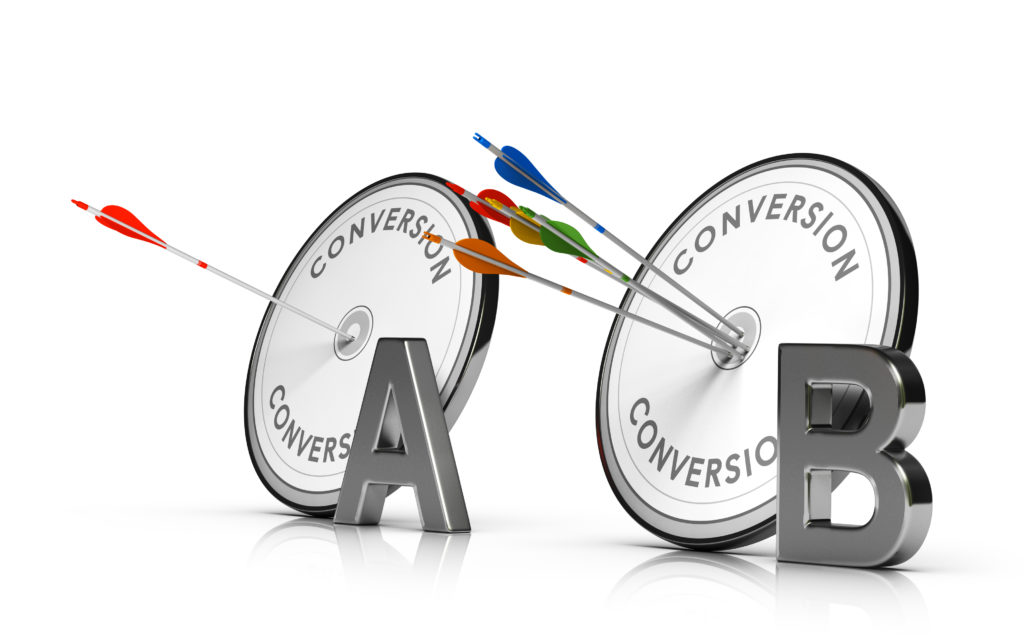
A/B Testing or Split Test. Optimizing a Web Page to Increase Conversion Rate

Test Constantly

A/B testing, sometimes called “split testing,” is one of the most important tools in your kit whether you’re a designer or a business owner. In an environment that ranges between competitive and cutthroat, simply guessing at what’s working won’t cut it; you need to balance your efforts — design, SEO, ads, and marketing spend — with actionable insights driven by performance metrics. Simply put, you don’t have the time or money to waste on things that don’t work.

Split testing can be done with your website by serving different pages to different clients. It’s equally effective with advertising campaigns, email marketing campaigns, and much more. Users are often surprised to find how a change as small as a photo or a few words in a subject line can make a tremendous difference in what converts.

Choose the Right Ecommerce Designers & Developers

Since each business is different, no two sites will approach the steps above in quite the same ways. Your design, online shopping experience — and all that follows — should be aligned with your goals and your business, reflecting what makes you unique.

Double Up Digital will begin by learning all about you, following through by helping you choose the right eCommerce platform, helping you customize product attributes, configure shipping for the territories in which you’re doing business, choose a payment processor, and much more. To get started with improving your eCommerce website design, get in touch with our experts today.